
Moore County Multi-Day Blotter
Start with the official inmate results. Filter by date, or type a larger number of days at the detention portal home. A week or so gives a useful comparison span. The system posts no weekly report of its own.
Read each row with care. A fresh admit date marks a new jail entry. An old admit date may simply mean the person is still held. Neither date tells you when the alleged conduct happened, and neither carries a court outcome.
What Moore Arrest-Log Entries Show
Think of the official table as a custody list, not a newspaper story. Its fields help you tell people apart and place each admission in time. Expand a row when the base table looks thin. The charge view fills in the rest.
| Entry field | How to interpret it |
|---|---|
| Full Name | Displayed booking identity; check spelling and other traits. |
| Age | A match clue that can change over time. |
| Race and Sex | Public descriptor fields from the detention table. |
| Admit Date | Date custody began, not a guaranteed offense date. |
| Charge Description | Recorded charge available in detail or charge search. |
The roster list carries no photo. For an identification photograph, ask the records custodian directly. The public table is not a mugshot feed.
Read the Moore County Blotter
A structured check prevents current custody, release, and historical records from being blended together.
- Choose a multi-day value at the official detention portal.
- Sort or compare results by admit date.
- Verify the full name and descriptor fields.
- Open detail and use the charge-description search.
- Check the released route for entries no longer current.
- Use the court Portal for the later disposition.
The Arrests Last 24 Hours page tracks the narrow intake window. The blotter does more. It spans several days, compares results, and sends older questions to a records or court source.
Moore Weekend Arrest Catch-Up
Moore County posts no fixed weekend or holiday schedule. A larger days value is a catch-up tool. It is not a sign of a special Monday release. Search across the weekend plus the weekdays on either side. Then compare admit dates instead of treating every row as a new weekend arrest.
Late intake, quick release, transfer, or continued custody can shift what shows up. So can a site delay. Save the exact portal URL and note when you searched. The county's older CivicEngage pages, the detention webapps portal, and municipal Southern Software tools share no single search. Nor do they share one archive.
Note: A multi-day query shows what the portal returned then; Moore County promises no complete chronological arrest count.
Released Moore County Records
When an entry rolls off current custody, check the released-inmate view. A separate released-charge route sits beside it. Release can follow bond, transfer, sentence processing, or another legal event. It does not say how a case ended.
The detention site guarantees no archive depth or roll-off rule. For an older booking, ask MCSO. Request the arrest report, identification photograph, entry or release summary, or weekly inmate list. Give a name, date range, arresting agency, and any case or booking number. If a record can't be found, ask which retention series governs it.
North Carolina's sheriff schedule treats arrest reports, identification photographs, incarceration records, and inmate list reports as separate series. Each series has its own retention rules. Those rules manage records. They don't promise anything stays online.
Moore County News Blotters
Local news sits below official custody and court sources. Sandhills Sentinel’s arrests tag combines county releases with Carthage, Robbins, and other community material. Its cadence is event-driven, and a photo may be agency-supplied. It is not every booking.
Moore County News maintained an eight-page arrest-tag archive in the research snapshot and grouped coverage by communities. Reports can add bond, court-date, and agency-statement context. Their allegations still require official and court verification. The Pilot is another local news source, but no stable arrest index was verified, so only its general home route should be used.
The Moore County News arrest archive is shown below.
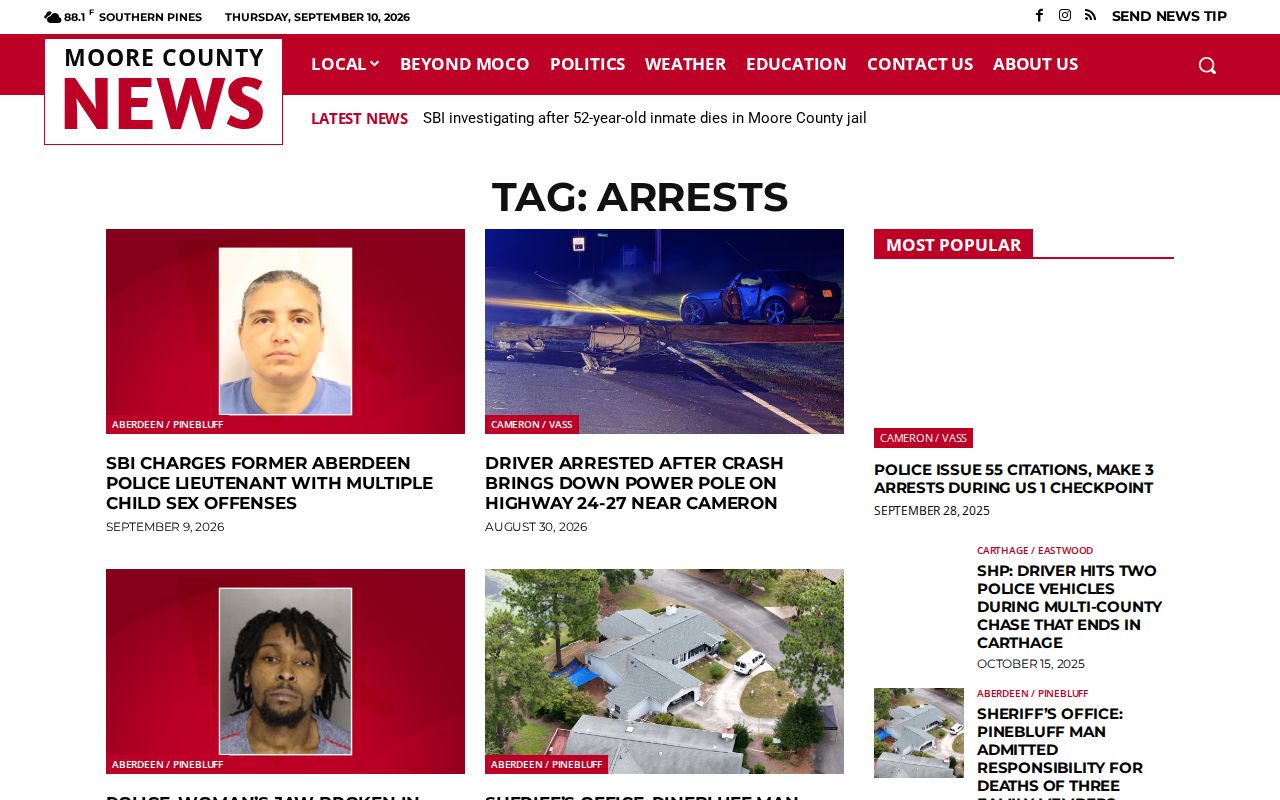
This story-based archive adds local context but cannot replace the county custody portal.
Official Moore Blotter Interfaces
The current roster page shows the identity and admit-date columns behind the official multi-day comparison.
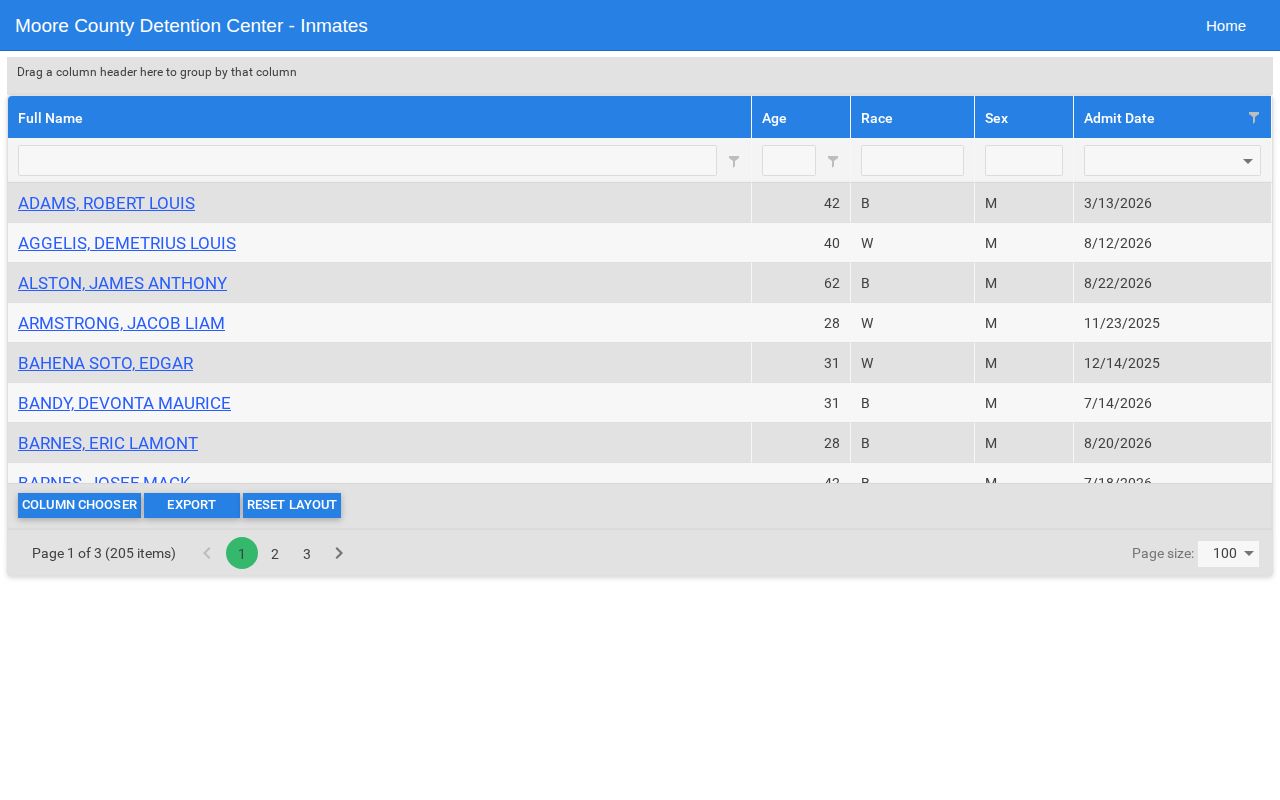
An old admit date can mean continued detention, so read every row on its own. The county's official charge interface offers a separate way to search charge descriptions.
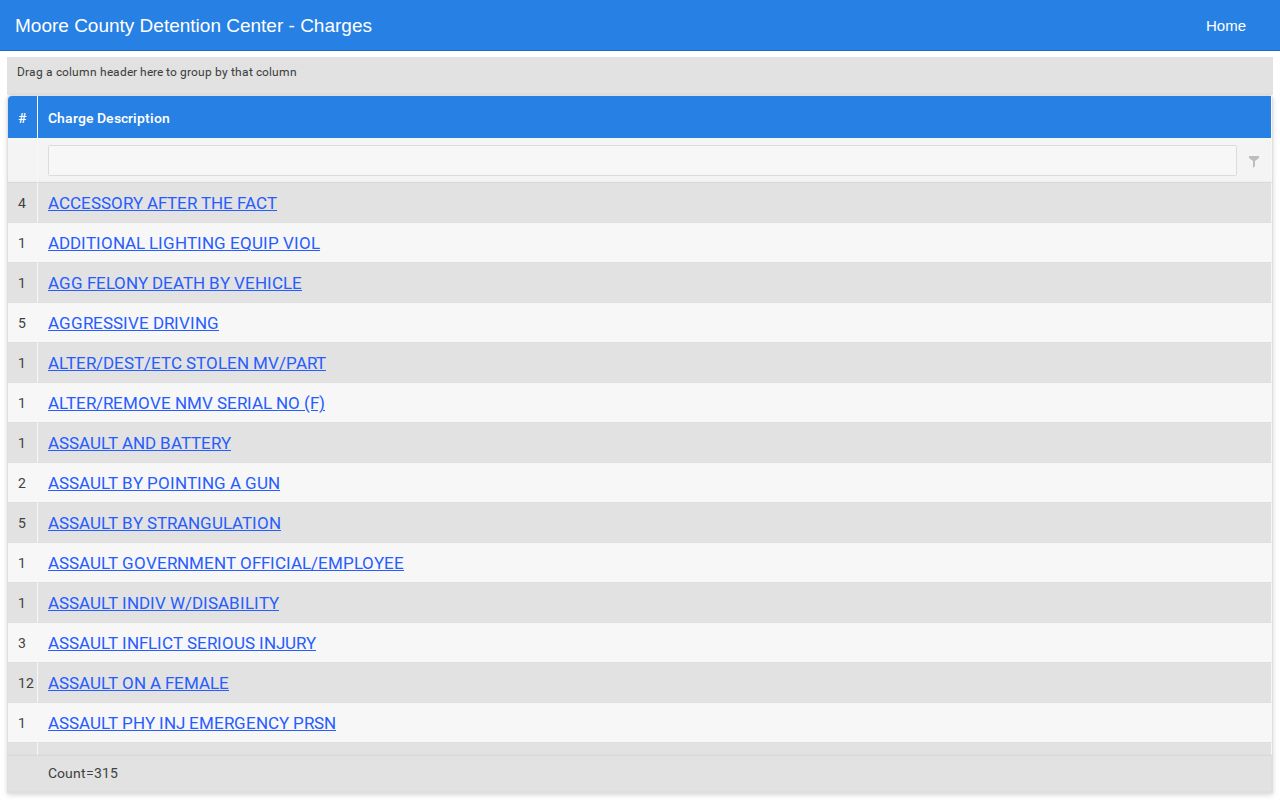
Copy charge text exactly as booked. Describe it plainly, with no gloss on guilt.
Third-Party Moore Arrest Archives
Private booking sites may keep older entries or images. They can be stale, incomplete, or copied before an official correction lands. They are not county sources. Put official detention, records, and court channels first, always.
RecentlyBooked maintains a Moore County page, but only as an unofficial secondary example. No private archive proves current custody or how a case stands. Verify the original record. Seek corrections through free official or site-specific processes.
Archive dates mislead when copied material is sorted by publication rather than jail admit date. Compare the county row, the released view, and the court case before saying when something happened. A private page can linger after custody ends or a charge changes. Its age makes it a lead. Never treat it as the final word.
Moore Court Records After Booking
An arrest blotter entry only marks the start of a Moore County case. It shows who was booked and when. North Carolina law then takes over, sending the arrested person before a magistrate without needless delay to hear the charge and the release terms. A first appearance follows the statutory framework unless release happens first. Custody can shift quickly. The original booking entry still stays on the record.
For the outcome, look past the blotter. The Moore County Judicial Branch page, public court terminals, paper files, and eCourts Portal carry what happened later. Give enough identity detail, because people who share a name can merge into one bad record. A court disposition shows how the case ended. A jail admit date or an old booking photo does not.
Request an Older Moore Arrest
Start with the Moore County Sheriff's Office. Do this once an arrest report or detention record leaves the web. Ask which record series applies. It may still sit with MCSO. It may sit inside a court case file. Or it may have been transferred or destroyed under an approved schedule. A narrow request routes faster than a blanket demand for every record.
Name the person. Add the approximate date range, arresting agency, and any known case number. Say exactly what you want. That could be the arrest report or identification photograph. It could also be the booking sheet, entry and release summary, or weekly inmate list. Ask for an electronic copy. If part of the material is withheld, request the legal basis. Should MCSO point to a court file, take the request to the Moore County Clerk. State Archives is a later path, and only when the creating office confirms a transfer.
Public Record Search
Sponsored Results